
Royal Solitaire
Small ant limitedCard
4.6164.00 Reviews
- Version
- 2.20.1
- Installs
- 1.00M
- Age Rating
- Everyone
Screenshots
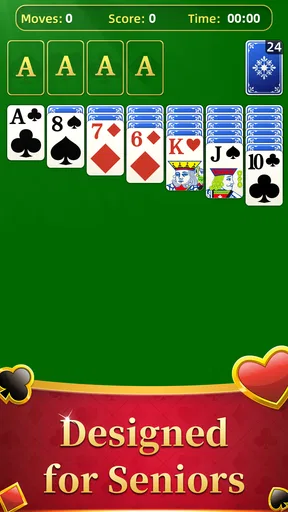
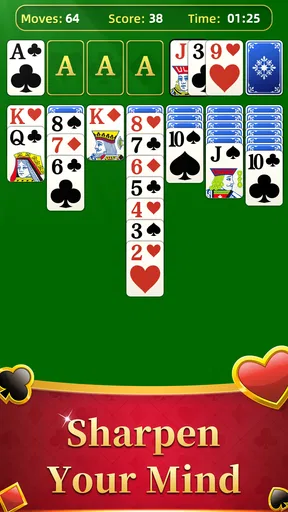

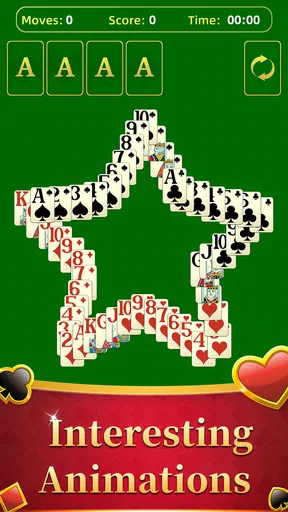
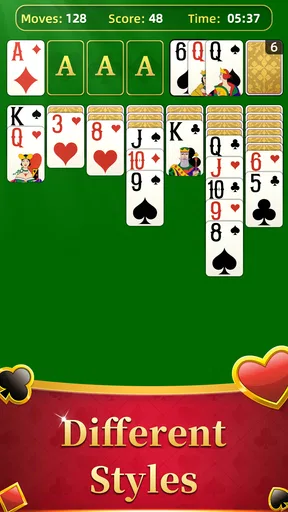
Our Review of Royal Solitaire
 Analysis by Appyee
Royal Solitaire is the kind of card game I open when I want something familiar, quiet, and easy to start without committing to a long session. I tested it as a pick-up-and-play option on a shared mobile device, and its biggest strength is also its clearest identity: it keeps the focus on classic solitaire rather than surrounding the card table with a complicated social layer. That makes it approachable for different people in the same household, although it also means players looking for deep competition or a large collection of modes may eventually want something broader.
Developed by Small ant limited, this free card game has built a 4.6 average from around 3.1 thousand ratings and has passed 1 million installs. Those figures suggest that it has found a comfortable audience among people who want a traditional solitaire experience on a phone. It is rated Everyone, runs on Android 7.0 and later, and the current version is 2.20.1. I would describe it as a straightforward casual game with enough polish for regular short sessions, not as a replacement for a full tabletop card collection.
How Royal Solitaire fits into a shared household
The most realistic use case is simple: one person is waiting for dinner, another has finished using the tablet, and the device becomes available for a few minutes of solitaire. Because the game is based on a familiar card format, somebody can pick it up without needing a tutorial session from another family member. A parent, partner, or older relative who already knows the basic rules can begin almost immediately, while a younger player can learn by watching the moves unfold.
That shared-device appeal comes from the low-pressure nature of the game. Nobody has to coordinate a match at the same time, and there is no need to persuade another household member to join. I found that useful when the phone was being passed around for different purposes. One person could use it for a quick card session, then hand it back without leaving behind a complicated multiplayer commitment.
There is a small but important trade-off here. A shared device is convenient, but solitaire progress can feel personal even when the game itself is casual. If several people use the same installation, I would agree on a simple household habit: finish a session before handing over the phone, and avoid treating the visible game state as somebody else’s unfinished challenge. The game works well as a communal time-filler, but it should not be mistaken for a multi-user family platform.
For a quick break, the classic format is more useful than a game that demands constant attention. I can pause mentally between moves, put the phone down when someone needs me, and return without having to remember a complicated storyline. That makes it suitable for waiting rooms, short commutes, or the few minutes before sleep. It is less suitable when the household wants a game that creates conversation, teamwork, or a shared competitive goal.
What the first session feels like
The opening experience is intentionally uncomplicated. The game presents itself as a mobile version of timeless solitaire, so the learning curve comes from the card rules rather than from menus, characters, or special abilities. That is a genuine advantage for a shared device: the next player does not need to understand a fictional world, a progression system, or a long list of controls before making a move.
I also like that the card format gives the game a natural rhythm. You can make a few decisions, check whether the layout is opening up, and stop. That rhythm is different from a puzzle game that pushes you toward one more level or a competitive title that makes you feel obliged to finish a round. Royal Solitaire is at its best when I treat it as a small mental break rather than as a major gaming destination.
The limitation is that familiarity can become repetition. If you already play solitaire regularly, the attraction will depend on how much you value having a clean mobile version available. Players who need constant novelty may find the traditional structure too narrow. I would not install it expecting a campaign, a social community, or a rotating set of unrelated card games; its appeal rests on doing one recognizable thing simply.
Setting boundaries before several people use one device
Royal Solitaire is free to download, which removes the biggest barrier when a family wants to test it casually. It does include in-app purchases ranging from $4.99 to $10.99 per item. On a personal phone, that may be an ordinary purchasing choice. On a shared tablet, however, it is worth agreeing in advance that nobody buys anything without asking the device owner first.
This is not a criticism of the card gameplay itself. It is a practical point about shared hardware. A free game can still present paid options, and different people in a household may have different ideas about what counts as an acceptable purchase. I would keep the decision with the account holder and make that expectation clear before handing the device to a child or guest.
The same boundary applies to attention. Solitaire looks harmless, but a player can still spend longer than intended when a layout is nearly complete. For younger users, I would treat it as a short leisure activity rather than an automatic all-evening option. Since the content rating is Everyone, it is broadly suitable from an age perspective, but an age label does not replace a household’s own rules about screen time, purchases, or sharing.
For an older relative, the setup question is different. The classic card concept is likely to be more approachable than a modern game full of unfamiliar systems, but the person still needs a comfortable device and enough time to see the cards clearly. I would introduce the game by explaining the basic objective and then let the player explore at their own pace. The best shared-device setup is one where the owner does not hover over every move.
Coordinating turns without turning solitaire into a contest
A useful household routine is to treat each session as independent. Instead of asking who has the highest score or who completed the most games, each person can simply take the device when it is free and play for a natural stopping point. That avoids creating pressure around a game that is fundamentally designed for individual concentration.
If two people enjoy comparing results, I would keep the comparison informal. Solitaire outcomes can depend heavily on the layout and on the choices made during a particular deal, so a single successful run does not necessarily prove that one player is better. The more enjoyable approach is to discuss a clever move or a difficult position rather than turn every session into a household leaderboard.
There is also a practical coordination benefit to the game’s short-session design. Someone can play while waiting for another person without making the other person feel that a scheduled activity has been interrupted. That is different from a turn-based multiplayer game, where leaving halfway through may inconvenience somebody else. Here, the responsibility is mostly to return the device in a usable state and not assume that the next person wants to continue the same layout.
For a family that wants genuine interaction, I would choose a multiplayer card game instead. Royal Solitaire is better when people want to share a device, not necessarily a game. That distinction matters. It supports parallel use over time, but it does not create the same kind of shared event as a game built around two or more active players.
Age, trust, and the limits of a simple card game
The Everyone rating fits the experience I had: the central activity is arranging ordinary playing cards, and the game is easy to understand without mature themes. That makes it a reasonable option for a household where adults and children may use the same device. Still, trust is about more than content. A child using a shared phone may encounter the same purchase choices as an adult, so the family’s payment rules remain important.
I would also explain that the game is not a lesson in money management, competition, or online interaction. Its value is narrower and clearer: it offers a familiar solo activity. That clarity can be helpful for younger players because expectations are easy to set. They are not being asked to communicate with strangers or manage a complex account identity; they are simply playing cards on the device.
For adults, the age rating should not be read as a promise that the game will suit every personality. Someone who dislikes repetition may lose interest quickly, while somebody who enjoys calm routines may return to it often. I found the latter group more likely to appreciate it. The game rewards patience and attention to the layout, not rapid reactions or elaborate planning across many systems.
Account boundaries are especially relevant on a device used by several people. I would not assume that a casual card game needs separate profiles or that every person’s activity will be kept distinct. If preserving individual progress matters, use it on a personal device or establish a clear handoff routine. That is a sensible precaution for any shared app, and it is particularly useful when several people may interpret the same game state differently.
Three practical ways to get more from the experience
My first tip is to use it as a deliberate transition between tasks rather than as background entertainment. A short solitaire session can mark the end of a work break or the beginning of a quiet evening. Because the game does not require another player, it fits moments when the household is busy but one person has a little spare attention.
My second tip is to make the device position part of the setup. On a shared tablet, place it where the current player can see the cards comfortably but where the next person can tell whether the session is still active. This sounds minor, yet it prevents the common household problem of someone assuming the device is free while another person is still thinking through a move.
My third tip is to avoid judging the game after only one lucky or frustrating layout. Solitaire can feel very different from one session to the next. I would play several brief sessions before deciding whether the pace suits you, especially if you are comparing it with a more animated card app. The useful question is not whether every deal feels exciting, but whether the basic rhythm is pleasant enough to revisit.
A fourth consideration is purchase discipline. Since the game is free but offers paid items, I would separate the decision to play from the decision to spend. Let everyone enjoy the basic experience first, then decide whether any optional purchase is genuinely useful for the household. This keeps a child’s casual access from becoming an accidental financial decision and gives the owner a clear boundary.
How it compares with other solitaire choices
Against a physical deck of cards, Royal Solitaire wins on convenience. The phone handles the layout, so there is no need for a table, a deck, or space to gather the cards. That makes it excellent for travel and waiting. The physical deck still wins for tactile enjoyment and for a shared activity where another person can sit beside you and talk through the game.
Compared with a broader card-game collection, this title is easier to understand but less versatile. If you want solitaire without learning several rule sets, that narrow focus is a benefit. If you want poker, matching games, multiplayer rounds, or a large menu of variations in one place, another app will probably serve you better.
It also differs from highly competitive mobile games. There is less pressure to react quickly and less reason to coordinate with strangers or friends. That makes it a better fit for quiet solo play, but a weaker choice for someone motivated by rankings, live opponents, or constant unlocks. I would choose Royal Solitaire for calm repetition, not for social energy.
The free entry point is another practical advantage when several people want to try it. Nobody has to buy a physical deck or commit to a subscription before discovering whether the format works for them. The presence of individual in-app purchases means I would still compare the total value with a paid, ad-free or feature-rich alternative if you expect to play every day. The right choice depends on whether simplicity or variety matters more to you.
Who should install it and who should skip it
I recommend it to people who already enjoy classic solitaire, households that share a tablet casually, and anyone who wants a low-pressure card game for short breaks. It is especially suitable when different users have different ages and gaming experience, because the basic idea is recognizable and the Everyone rating makes the content broadly approachable.
I would also suggest it to someone moving from physical cards to a phone and wanting the least intimidating transition. The game does not ask you to master a new genre. It gives you a familiar activity in a portable form, which is exactly why its simplicity works.
I would skip it if your main goal is active multiplayer, a deep progression system, or a wide variety of card formats. I would also look elsewhere if you want a game that naturally brings a family together around the same screen. Royal Solitaire can be passed between people, but it is still fundamentally a solo experience.
Players who are sensitive to repetitive routines should try it cautiously. The traditional format is the attraction, but it is also the boundary. If you need frequent surprises, story development, or new mechanics, the game may feel limited after the initial novelty fades.
My household verdict
After using Royal Solitaire as both a personal time-filler and a shared-device option, I see it as a dependable, focused card game rather than an ambitious all-purpose entertainment app. Small ant limited has kept the concept clear: open the game, arrange the cards, and enjoy a familiar mental pause. That clarity is valuable in a household, where not every user wants the same level of complexity.
The main points to remember are practical. It is free to start, but paid items cost between $4.99 and $10.99 each, so shared devices need a clear purchase rule. It is suitable for Everyone, but families should still set their own expectations around screen time and handing over the phone. And while the game is easy to share physically, it does not turn solitaire into a cooperative or competitive family activity.
For me, the deciding question is whether you want a calm, traditional card session that fits around real life. If the answer is yes, this is an easy recommendation. I would install it on a personal phone or a household tablet where everyone understands the boundaries, use it for short independent breaks, and keep expectations realistic. Its strongest feature is its restraint: Royal Solitaire gives solitaire room to be solitaire.
Verdict
Strengths of Royal Solitaire
- Classic solitaire rules are easy to learn for both beginners and casual players.
- Quick rounds make it convenient for short gaming sessions.
- Simple controls work well on mobile screens.
- Offline play is useful when no internet connection is available.
- Relaxing gameplay provides a low-pressure way to pass the time.
Limitations of Royal Solitaire
- Frequent ads may interrupt play, especially between rounds.
- Limited variation can make the experience feel repetitive over time.
- Some features may require in-app purchases or premium upgrades.
- Small cards or interface elements can be difficult to read on phones.
- Battery use may increase during longer gaming sessions.
Other Releases by Small ant limited
View All
Similar Picks in This Category
View All
Solitaire - Classic Card Games
MobilityWare4.6

UNO!™
Mattel163 Limited4.3

Spider Solitaire: Card Games
MobilityWare4.6

Solitaire.com - Classic Cards
Tripledot Studios Limited4.7

Plants vs. Zombies™ Heroes
ELECTRONIC ARTS4.1

Hearthstone
Blizzard Entertainment, Inc.4.1
Frequently Asked Questions
What is Royal Solitaire, and how is the game played?
Royal Solitaire is a classic card game based on familiar solitaire rules, usually requiring you to arrange cards by suit and ascending order while organizing the tableau in descending sequences. After installing it, you can expect a straightforward experience focused on individual rounds, strategic card placement, and clearing the board. The exact layout, available modes, and scoring options may vary depending on the version installed.
Is Royal Solitaire free to download and play?
Royal Solitaire is generally available as a free download, allowing players to begin playing without purchasing the app. However, free versions may include advertising, optional in-app purchases, or premium features such as ad removal, extra hints, special card designs, or additional game modes. Before downloading, check the store listing carefully because pricing, advertisements, and available purchases can differ between Android and iOS versions.
Does Royal Solitaire require an internet connection?
For ordinary solitaire rounds, Royal Solitaire may be playable without a constant internet connection, which makes it convenient for travel, commuting, or relaxing away from Wi-Fi. An internet connection could still be required for downloading updates, displaying advertisements, synchronizing progress, accessing leaderboards, or completing purchases. If offline play is important to you, test the game in airplane mode after installation.
Does Royal Solitaire contain advertisements or in-app purchases?
Many free solitaire applications use advertisements to support development, and Royal Solitaire may display ads between rounds, on menus, or after completing a game. Some versions also offer optional purchases for removing advertisements, unlocking visual themes, receiving hints, or accessing extra content. These features are not always identical across platforms, so review the app’s store description and purchase information before committing to a download.
Is Royal Solitaire suitable for beginners and casual players?
Royal Solitaire is generally suitable for beginners because solitaire is easy to understand while still offering room for thoughtful decision-making. New players can learn by experimenting with card moves, using available hints if provided, and replaying deals to improve their results. Casual users should also look for adjustable difficulty, undo options, tutorials, and multiple game modes, since these features can make the experience more comfortable and enjoyable.
Play our best games!


